Stream info (title, category & tags)
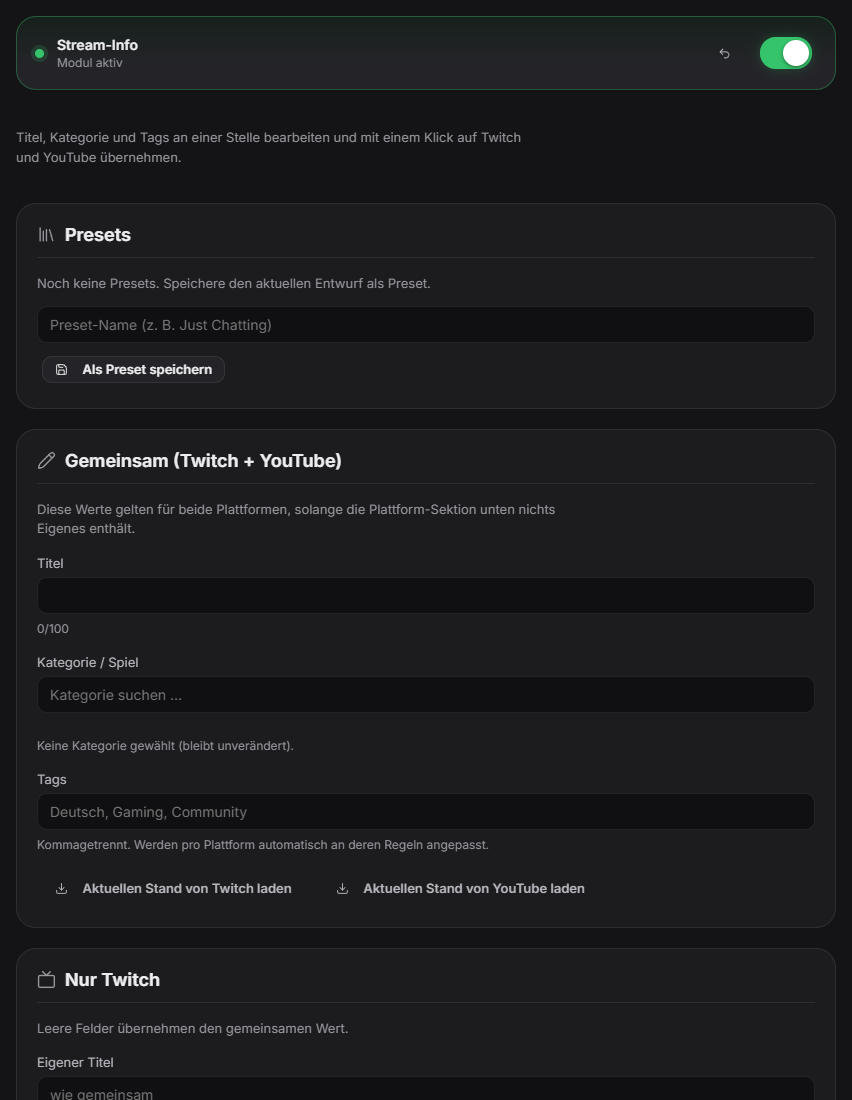
Instead of maintaining title, category and tags separately on Twitch and YouTube, you enter them once in the Stream Info tab and push them to one or both platforms with a click. Platform-specific fields live in their own sections: Twitch (language, content classification, its own tags/title, category search with selection), YouTube (description, category, its own tags/title). Empty platform-specific fields inherit the shared value; tags and titles are automatically adjusted to each platform's rules (Twitch: max 10 tags of 25 characters, title 140 vs. 100 characters). "Load current state" pulls existing values from Twitch/YouTube into the editor. Presets (e.g. "Just Chatting", "Minecraft") save complete sets for your next stream. YouTube writes to the current or next scheduled livestream.
Trigger Manual, in the Stream Info tab.
Requirements
- Premium.
- Twitch: the `channel:manage:broadcast` permission — existing users need to reconnect Twitch once for this.
- YouTube: an active or scheduled livestream to write to.
Step by step
- Open the Stream Info tab and click "Load current state from Twitch/YouTube" to pull in existing values.
- Fill in title, category/game and tags in the shared section, add platform-specific overrides below.
- Click "Apply to Twitch", "Apply to YouTube", or both.
- Save frequently used sets as a preset to load them with one click before your next stream.
Last updated: 19 September 2026