Screen Picker (tile selection)
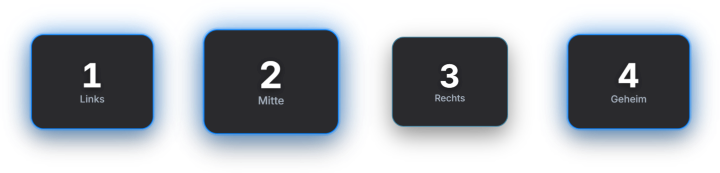
The Screen Picker puts a transparent always-on-top window over your screen, on which you arrange rounded, numbered tiles freely (e.g. over game elements). Two modes: Random (the highlight moves fast → slow → stop → winner) and Voting (viewers type „1", „2", … in chat, the tile grows per vote, then a countdown → digit scramble → winner). Tile layouts can be saved as presets. Premium module. When voting starts, the module can optionally post an automatic chat message on Twitch and YouTube ("Voting is open — type the number of your pick"), as well as a winner announcement — both toggleable and editable. New in 1.0.28: The text accepts `{{winner}}`, the result passes number and votes to automation, and there is a dedicated sound event for the winner.
Trigger „Start random" or „Start voting" in the Screen Picker tab; in voting mode viewers reply with the tile number in chat.
Requirements
- Premium – or the free 14-day Premium trial (see “Premium trial”).
- For voting: Twitch and/or YouTube connected.
Step by step
- Open the Screen Picker tab and enable edit mode — the overlay window appears.
- Add tiles and place/scale them over the target screen area; with multiple monitors pick the right screen (display index).
- Optionally save the layout as a preset.
- Start a mode: „Start random" for the highlight animation or „Start voting" — in voting viewers type the tile number in chat.
- End voting — countdown, digit scramble and winner reveal run automatically in the overlay.
If it doesn't work
- “Part of Premium”: without a subscription or after the Premium trial has ended, the module is locked – see “Premium trial”.
- Tiles don't appear: wrong monitor selected or edit mode off — check the display index in the tab.
- Votes don't count: viewers only need to type the number (e.g. „2"), not a command; changing a vote afterwards can be turned off in the tab.
Last updated: 15 November 2026