Chatbot: timed & rotating messages
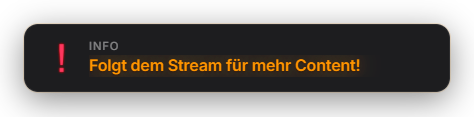
The ChatBotModule posts predefined messages to chat automatically (Discord links, rules, sub reminders …). Two modes: individual messages each with their own interval, or a queue that posts all active queue messages one after another with a fixed pause. One message can also appear as an overlay popup (popup/persistent — Premium). This module has NO custom response commands, no AI and no word filter: commands like !discord are built in the Automation tab (trigger "Chat command" → action "Send chat message"), the word filter is its own BadWordFilter tab, AI replies are the Mascot module (@zappi). The former "queue" is now called "carousel": active carousel messages run one after another like a playlist, independent of "active messages", which each post on their own time interval. The overlay badge (popup/persistent) has its own appearance panel with color presets or an AI design. Since 1.0.15 each interval message first waits for its interval, and never more than one is sent at once (no burst of messages after start). New under "Settings": "Only send while the stream is live" and "At least this many chat lines since the last bot message" (both off by default). Since 1.0.27 the old text rolls out upwards and the new one comes in from below; the badge animates to its new width and scrolling text has soft fade edges. Delivery, minimum spacing and placeholders were improved.
Trigger Timer — a per-message minute interval, or a shared pause between messages in queue mode.
Requirements
- Twitch and/or YouTube connected (to write to chat).
Step by step
- In the Chatbot tab add individual messages: text, platform (Twitch/YouTube/both), interval (1–30 minutes) and optional overlay mode (chat only / popup / persistent).
- Or enable the queue: all active queue messages are posted in turn with a fixed pause between them; "Shuffle" reorders them each pass.
- For custom commands (e.g. !discord): Automation tab → new rule with trigger "Chat command" and action "Send chat message".
- For automatic word blocking: the BadWordFilter tab. For AI replies to @zappi: the Mascot module.
If it doesn't work
- Nothing is posted: check the platform connection in the status tab. There is no "minimum chat activity" threshold — the message goes out as soon as its interval elapses.
- Popup/persistent overlay doesn't show: it's a Premium feature; without Premium the message only goes to chat.
Last updated: 14 November 2026