Viewer database
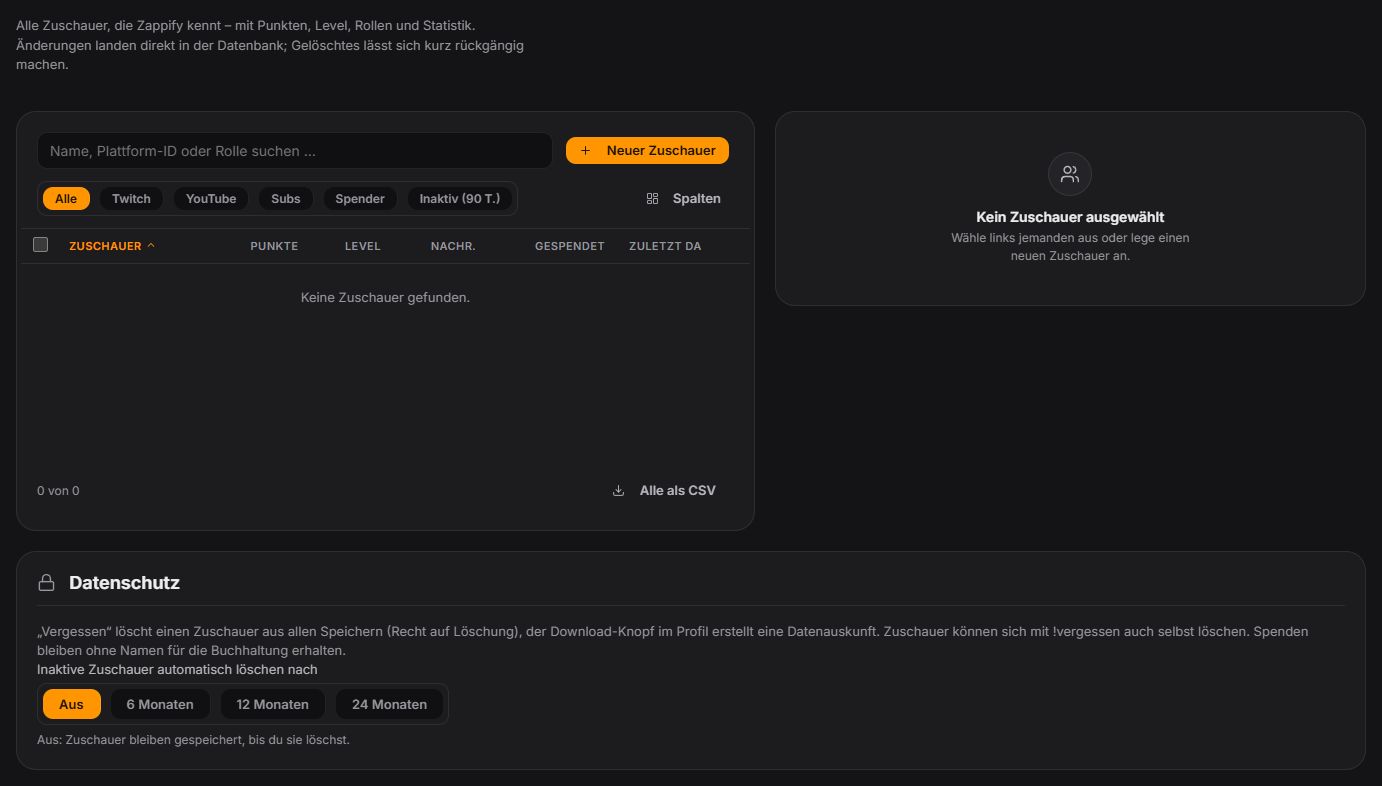
Since 1.0.21 the former database editor is its own tab: Chat → Viewer database (also via the database icon at the top right and Ctrl+K). On the left is the list of all viewers with an initials avatar and platform colour – searchable by name, platform ID or role, filterable (Twitch, YouTube, subs, donors, inactive), with selectable and sortable columns. On the right you see the selected viewer with profile picture, roles and key figures (points, level with XP bar, messages, donated) and can change values in a structured form: points with ±10/±100, roles as chips, timestamps as date fields; rare fields are collapsed. Only changed fields are saved – points and messages the chat adds while you edit are no longer lost. With multi-select you can change points for many viewers, recalculate level from XP, export a CSV or delete entries (10 seconds “Undo”). “Merge” combines two accounts of the same person, e.g. Twitch and YouTube: values are added up, donation history and daily stats move along. Privacy: “Forget completely” deletes a viewer from all of Zappify’s storage (profile, points, own avatar, statistics, chat log, game wins, Discord link, fan art …); the donation history is only anonymised because it has to be retained. “Data export” saves everything about a viewer as a file. Under “Privacy” you can choose a retention period (off, 6, 12 or 24 months): viewers who have not been around for that long are deleted automatically once a day. Viewers can delete themselves with !vergessen. All data stays local on your computer. Since 1.0.24: the tab only loads the displayed page (200 rows, “Show more” loads further); search, filter and sorting run in the database, “Select all” still covers all matches. Search is case-sensitive for umlauts.
Trigger Tab Chat → Viewer database in the control panel; viewers themselves via !vergessen (alias !forgetme).
Requirements
- Free.
Step by step
- Open Chat → Viewer database and pick a viewer via search or filter.
- Change values in the form on the right and apply them with “Save” or Ctrl+S.
- For many viewers at once use multi-select (points ±, level from XP, CSV export, delete).
- Turn duplicate accounts of the same person into one entry with “Merge”.
- When a viewer asks, choose “Data export” (save file) or “Forget completely”; optionally set a retention period under “Privacy”.
If it doesn't work
- !vergessen asks for confirmation: the viewer has to confirm with “!vergessen ok” within 60 seconds.
- “Forget completely” cannot be undone – unlike normal deleting. Manually created full backups still contain the old data.
- Hidden chat users and names in module settings (e.g. giveaways, counters) are not changed when forgetting or merging.
- On very large channels opening the tab can take a moment.
Last updated: 7 November 2026