Level-up notifications
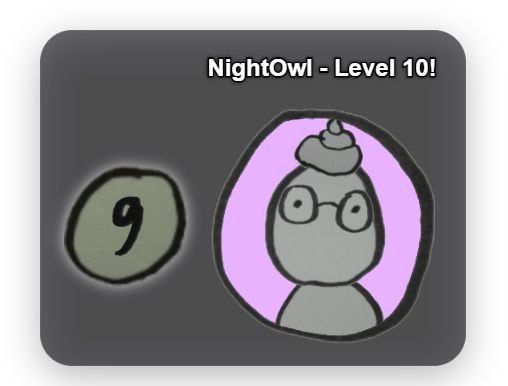
Awards experience points (XP) for chat activity and announces level-ups. Mechanic: anyone who chatted in the last 5 minutes gets +1 XP every 60 seconds — regardless of message count, so spamming doesn't help. The first message of the day gives a one-time +10 XP. Each level needs a constant 100 XP. Every level-up shows a small mascot popup (+ optional chat message); the full level-up animation only plays at round levels (10, 20, 30 …). Viewer values live in the built-in database editor. You can choose whether a level-up plays via the mascot, its own card, or both. The animation shows a soft glass panel behind the character/badge/name with a colored glow and its own flash color. Optionally, a voice announcement reads out the level-up, and a stream-wide cumulative milestone across all level-ups can be enabled. Since 1.0.15 every chat message (including `!` commands) earns points and XP, even without the chat overlay enabled; hidden users and blocked messages still do not count. Points also land in the right account when the display name differs (e.g. Japanese). Level-up and badge unlocks now respect the "Priority" setting. New in 1.0.17: custom chat texts for level-ups (regular and round levels, placeholders {{username}}, {{newLevel}}); empty = default text in the app language. New in 1.0.28: "Test level-up" card in the tab (choose a level, without TTS and counters), the milestone counter counts every level-up and starts at 0 each stream, the announcement uses the central speech output, and the automation trigger "Level-up" provides the tier, previous tier and whether it was a round level.
Trigger Automatic when a viewer reaches the next 100-XP threshold through chat activity.
Step by step
- In the LevelUp tab set animation timing, sound files and the display look.
- Inspect and, if needed, manually correct user levels and XP in the built-in Database Editor (Control panel → User editor).
- The XP values (XP per interval, first-message bonus, XP per level, interval) are fixed and only editable via `config/level-config.json` — there are no sliders for them in the tab.
- For further actions on level-ups (e.g. a Discord post) use the "Level-up" event in the Automation tab.
Last updated: 15 November 2026