Counter
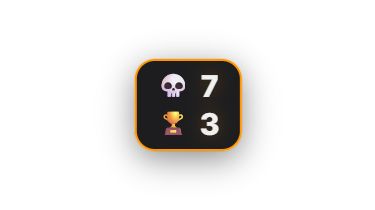
Shows one or more freely named counters in the overlay, for example "Deaths" or "Wins". Each counter has its own value, an optional emoji or a drag-and-dropped PNG to the left or right of the value, and its own chat command (`!<name>`) that by default lets moderators increment it. Each counter can be shown/hidden and reset individually — only active counters appear in the overlay. Counters can also be incremented, decremented, reset or set to a fixed value via automation rules, triggered from another module or a hotkey. Anyone who previously used the (now replaced) Death Counter gets its existing value, look and hotkey carried over automatically as the first counter, "Deaths", after the update. Since 1.0.15 the chat command understands numbers (`!rip +5`, `!rip -2`, `!rip =10`), the cooldown is adjustable per counter (previously fixed at 30 seconds) and Zappify can confirm the new value in chat. Each counter gets its own hotkeys for +1, −1 and reset right in the Counter tab and can reset itself to 0 at stream start. Automation has the trigger "Counter: value changed" (e.g. with the condition "reaches 10").
Trigger Via chat command `!<name>` (default: moderators) or a hotkey/automation action.
Requirements
- A single active counter is free.
- Multiple simultaneously active counters and custom image icons are premium.
Step by step
- Create and name a new counter in the Counter tab — the name also determines the chat command `!<name>`.
- Optionally assign an emoji or a drag-and-dropped PNG to the left/right of the value.
- Set the appearance via color presets or a custom AI design, and set the position via the Positions tab.
- To increment/reset it automatically from other modules, create an automation rule with the "Change counter" action.
Last updated: 19 October 2026