Meme overlays
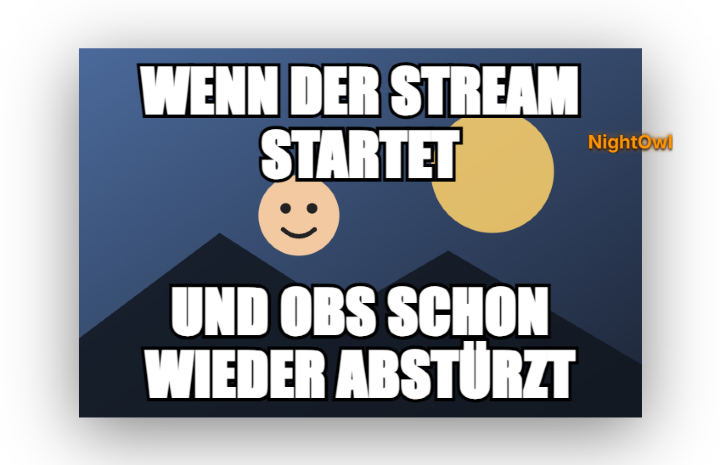
Displays meme images as stream alerts. Command syntax: `!meme <imagename>, <top text>, <bottom text> !<soundname>`. The image name and a top text (comma-separated) are required; bottom text and `!<soundname>` are optional (without a sound the default sound plays). `!meme <imagename>` on its own, without a comma and text, is not recognized. The optional extra sound (`!<soundname>`) runs through the central sound library instead of guessed file names — new meme sounds are managed in the Sound tab, not by dropping files into a folder. Appearance (text color, outline, font, requester name) is adjustable via presets in the Meme tab. New in 1.0.15: each meme can be test-shown in the overlay with one click in the Meme tab (no points, no chat command). A price of 0 makes !meme free. The former default meme hotkeys (Ctrl+M, Ctrl+Shift+M, Ctrl+N) were removed – assign them again in the Hotkeys tab if needed. New in 1.0.19: Memes appear as a card with a frame and their own entrance per design (Premium Glass, Hacker Terminal, Neon Arcade, Paper/Polaroid, Organic; “Classic” keeps the Impact look). Text fits automatically, the sender is shown below with avatar and badges, and queued memes show as “+N in queue”. Chat: “!meme” alone shows help, “!meme list”/“!memes” a picture list, “!meme random, text” a random picture, “!meme name” also works without text; typos get a suggestion. Abuse protection: per-viewer cooldown (30 s), max. 120 characters, max. 3 queued memes per viewer (mods/streamer optionally exempt). GIFs/WebPs submitted via Discord stay animated. AI design (Premium) is now free HTML/CSS.
Trigger Chat command !meme (text/image depending on configuration).
Step by step
- Upload custom images via drag & drop in the Meme tab and assign command names.
- Configure point costs (default: 20 points) and cooldowns (e.g. 5s) in the tab.
- Set permissions in the Commands tab (default: everyone).
Last updated: 4 November 2026