Sound effects
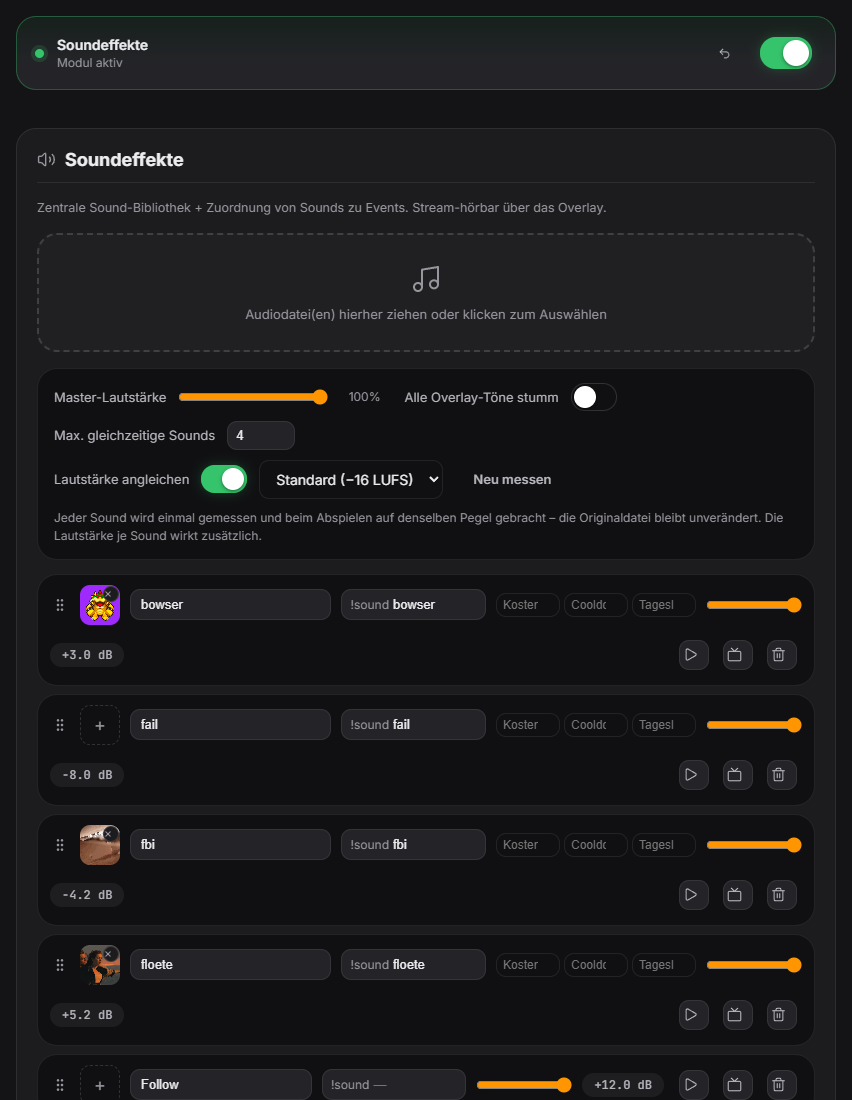
Plays short sounds via chat command. The primary command is `!sound <filename>`. Additionally, each sound in the library can have its own custom trigger word (e.g. `!applause`). Audio files sit locally in assets/soundeffekte/ (formats: MP3, WAV, OGG). Every default sound taken over from a module can be muted individually without deleting it from the library. Each sound can have its own point cost, cooldown and a daily limit. The sound-effect overlay's appearance is configurable via color presets or an AI design in the Sound tab. The event mapping in the sound area also offers the events "Channel point redemption", "Goal bar: goal reached" and four Hype Train events (start, level completed, end, end with record); "Stream start" and "Stream end" are now fired directly by Twitch. Since 1.0.15 the events for viewer and like milestones really fire (at every full step of 50; viewers = sum of Twitch and YouTube), and the daily limit per viewer survives a restart. New events: "Goal bar: progress", "Goal bar: goal reached" and "Donation pot: deposit". New in 1.0.19: Loudness matching: each sound in the library is measured once and brought to the same level on playback – overly loud memes get quieter, quiet alerts louder, limited to avoid clipping. The file stays unchanged; per-sound volume still applies on top. In the Sound tab: switch “Match loudness” (on by default), target level (Loud/Standard/Subtle/Quiet), “Re-measure” and the applied correction on each sound (e.g. “−6.5 dB”). Also, the assignments for quiz (question starts, countdown, reveal, correct/wrong), TTS (appears, finished), polls, random/points wheel and the new avatar and badge-slot triggers are now actually played. New in 1.0.23: the built-in effect sounds of the modules (timer, prize/points wheel, poll, rock-paper-scissors, like counter, donation pot, donation tier sound, watermark) now follow the master volume in the Sound tab and – except ticks and beeps – count towards “Max. simultaneous sounds”. New switch “Mute all overlay sounds”, also as a Stream Deck/remote key and in Ctrl+K; TTS and music keep playing. Since 1.0.27 the image pulses with the sound’s real level (scale + glow in the theme color) and gets a short kick at the start; the audio itself is unchanged. New in 1.0.28: Sound set "Zappify Standard" with 15 original sounds (follow, sub tier 1–3, resub, gift sub, raid, bits small/medium/large, first message, stream start/end, viewer and like milestone) can be applied with one click under "Sound sets". A resub with its own sound now replaces the sub sound instead of playing at the same time. New sound events: bingo round start/end, Scare Meter level 3 and record, Screen Picker winner.
Trigger Chat command !sound <name> or an event mapping in the sound section.
Step by step
- Drag & drop sound files into the Sound tab.
- Set name, point cost (default: 15 points) and an individual cooldown (default: 60s) per sound.
- Optionally attach an image/GIF — removable again via the × button on the image.
- Customize the appearance via the appearance panel: 6 free color presets, plus an AI custom design as a premium option.
- Default sounds taken over from a module (e.g. Level-Up) can now be muted individually via a dedicated "Mute" toggle in the sound area.
Last updated: 15 November 2026