Badges
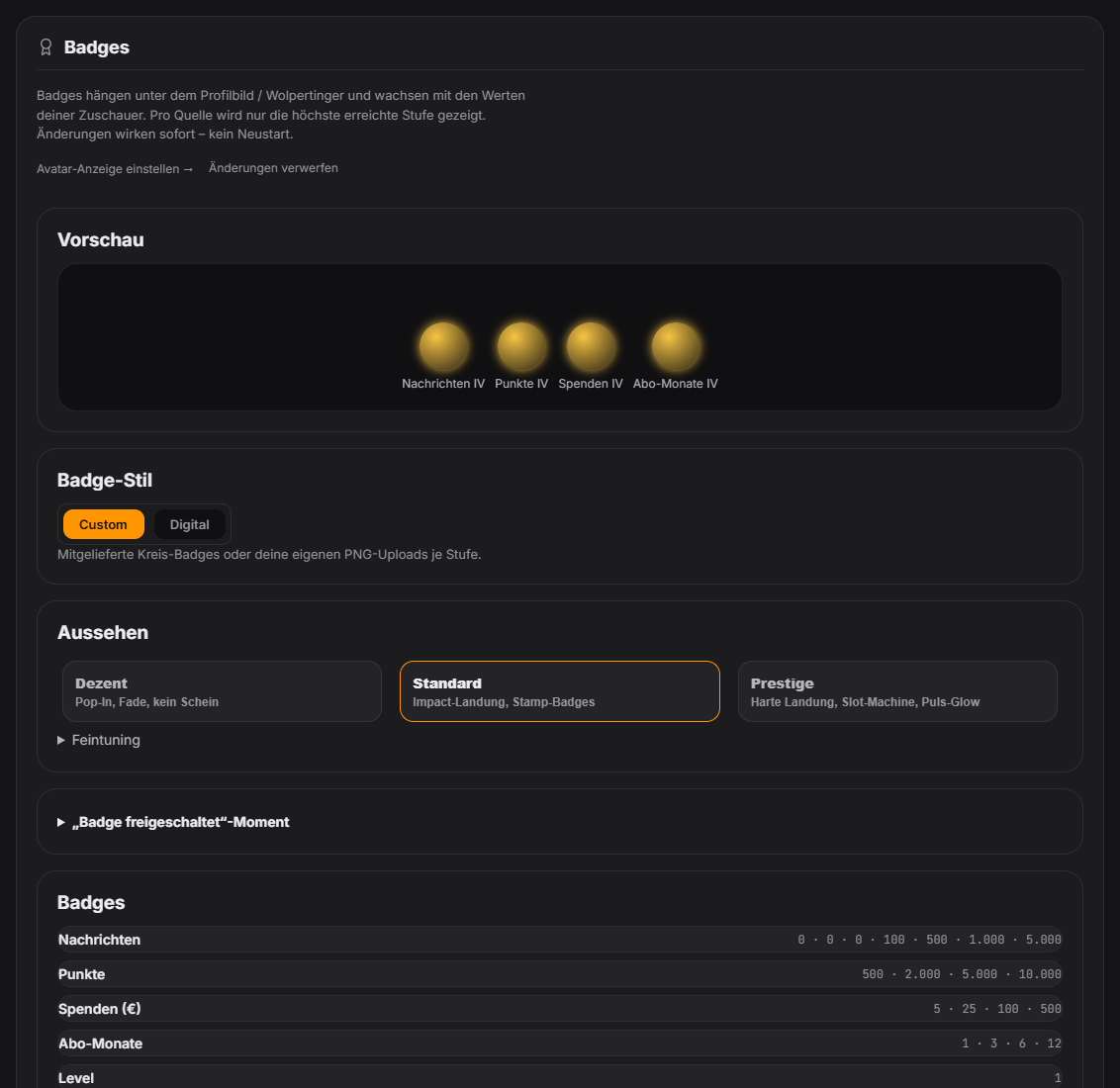
Badges are small icons viewers earn across six value sources: messages, points, donations, sub months, level and platform (Twitch/YouTube). Each source has a tier ladder (1–4) with an optional custom PNG per tier — the tier is derived automatically from the order of the configured thresholds. Next to their name in chat, viewers show a randomly chosen main badge plus a "+N" bubble for further earned badges. The first time a viewer crosses a threshold, a large "badge unlocked" moment can optionally appear in the overlay (name + label, its own sound) — toggleable per badge, with a global minimum tier and cooldown. A custom background PNG can be uploaded for the level badge — the current level number is drawn onto it automatically. The highest tier gets extra effects (more/colored sparks, a special frame, an optional second sound layer, a brief shake effect). New in 1.0.17: if a viewer unlocks several badges in quick succession, the overlay shows a single reveal (highest tier + “+N more”). Configurable via “Bundle per viewer” (default 10 s, 0 = each one separately). New in 1.0.19: Avatar entrance: the profile picture or Wolpertinger drops into frame and lands with squash & stretch, a shockwave and a dust cloud – the higher the rank, the bigger the impact (subs/VIPs, mods/broadcaster and high badge tiers get extra effects). New badge style “Slot machine”: badges spin as reels and lock in one after another, tier-4 badges as a jackpot; the “Prestige” preset uses it. Applies to TTS, donations, sound effects, viewer images and rock-paper-scissors. Adjustable in the Badges tab (fine-tuning). New sound triggers in the sound section: “Avatar – drops in”, “Avatar – landing”, “Badge slot – reels spin/lock in”. Since 1.0.25: “Badge style” switch in the Badges tab. “Custom” = as before (bundled badges or your own PNGs), “Digital” = animated badges drawn by Zappify in the tier colors with an icon per source and the level number – Neon hologram, Pixel / 8-bit or LED matrix, animation can be turned off. Applies everywhere: badge row on the character, chat badge, “badge unlocked” moment and tab preview. Your own PNGs stay saved.
Trigger Automatically whenever a viewer reaches a configured threshold in one of the six value sources.
Step by step
- Open the Badges tab: a live preview at the top, three appearance presets below (Subtle / Standard / Prestige) plus a collapsed fine-tuning section.
- Badges are grouped by value source — maintain thresholds and optional PNGs per group; the tier (1–4) is derived automatically.
- Enable the "badge unlocked" moment in its own collapsed card, set a minimum tier and cooldown, and position it as its own overlay module via the Positions tab.
Last updated: 12 November 2026