Avatars: Wolpertinger or profile picture
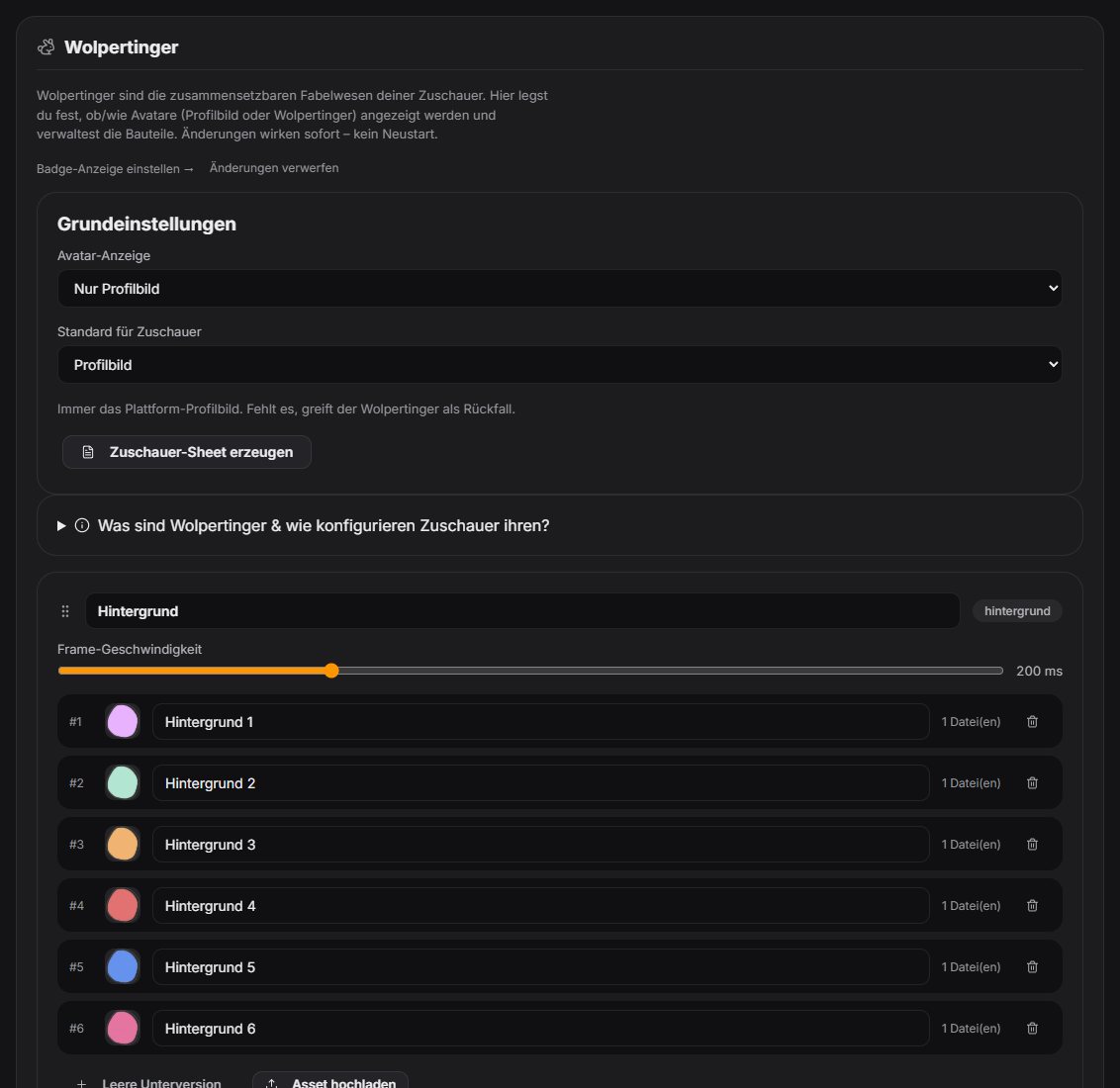
For TTS, donations, follows, level-ups and other alerts, a viewer avatar is shown next to the message. It is either the real Twitch/YouTube profile picture or a „Wolpertinger" — a fantasy creature composed of layers (body, head, eyes, hat …) that viewers assemble themselves. The Wolpertinger tab controls which one is displayed. Since 1.0.24: the character preview and `/wolpertinger` in the Discord bot only accept parts that exist in the builder; `!reset wolper`, `!wolper`, `!pb` and `!verify` reach the right viewer even if the display name differs.
Trigger Automatic on every alert with an avatar. Viewers switch their style in chat: !wolper (Wolpertinger) or !pb (profile picture).
Requirements
- For profile pictures: Twitch and/or YouTube connected — the image is loaded via the platform API.
- For Wolpertingers: graphic layers in the Wolpertinger tab (a default set is included).
Step by step
- Open the Wolpertinger tab and pick one of the four modes under „Avatar display".
- „Off": no avatars at all, just the card with text.
- „Profile picture only": always the platform profile picture; if missing, the Wolpertinger fills in.
- „Wolpertinger only": always the Wolpertinger; if a viewer hasn't built one, their profile picture is used.
- „Viewer chooses": each viewer decides via !wolper / !pb — anyone who doesn't choose gets the „default for viewers" you set.
- Optionally viewers build their Wolpertinger via !wolper <category> <number> (e.g. !wolper hut 3) or through the viewer sheet or Discord bot.
If it doesn't work
- !wolper / !pb replies „takes effect once you switch": the mode isn't set to „Viewer chooses" — the choice is saved but only visible after you switch.
- Profile picture doesn't appear: check that Twitch/YouTube show as „connected" in the status tab; brand-new accounts may take a moment.
- „!wolper hut 3" does nothing: wrong category name or number — with no arguments !wolper is the style switch, with two arguments it's the parts command.
- !wolper and !pb can be disabled or limited to subs/VIPs in the „Commands" tab.
Last updated: 7 November 2026
Was this helpful?