Bingo
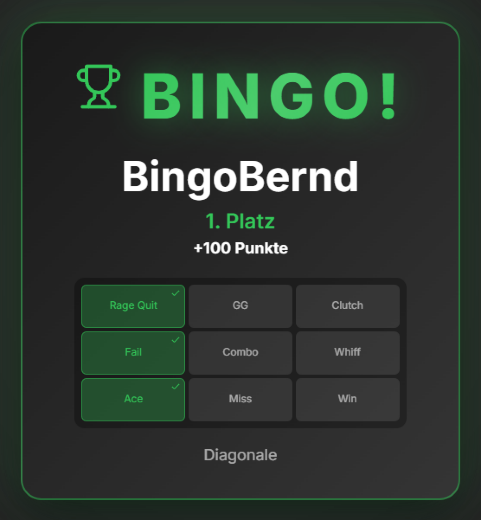
Viewers get a personal bingo card, rendered in your overlay's look, as a Discord DM via `/bingo start` (anyone linked via `/link` gets it without typing a name). In the Bingo tab, the "Confirm events" section is where you confirm a square once it actually happens on stream — a counter shows how many viewers already reported it via `/bingo win`; accidentally confirmed squares can be undone. Points run through the regular points system (including level events), and the winner's rank and awarded points show both in the overlay and as a Discord DM. A running round survives a Zappify restart (up to two hours old). A hall-of-fame leaderboard tracks the most successful bingo players, and rounds can additionally be started automatically on a schedule via automation.
Trigger Round start, manually in the Bingo tab or via an automation rule (e.g. on a schedule).
Requirements
- Premium – or the free 14-day Premium trial (see “Premium trial”).
- Discord bot set up (see "Set up Discord bot").
Step by step
- Set up the Discord bot so viewers can use `/bingo start`.
- Start a round in the Bingo tab — linked viewers automatically get a Discord DM that a round is running.
- Once a square actually happens on stream: click it in the "Confirm events" section.
- When a viewer reports a win via `/bingo win`, their rank and points show in the overlay and as a DM.
- Set the winner card's appearance (identical on stream and in the Discord DM) via color presets or an AI design.
- Optionally create an automation rule to start rounds automatically on a schedule.
Last updated: 30 September 2026