Chat quiz
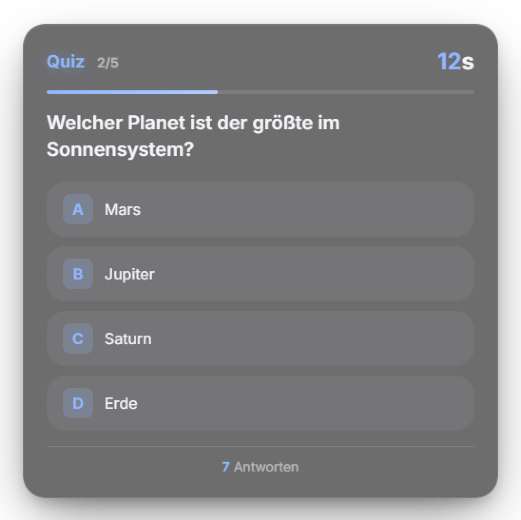
Asks multiple-choice questions with options A–D, scores the chat answers automatically and gives every correct answerer the same number of points — there is no speed bonus. Per viewer the last answer counts (changing your mind is allowed). The question set is managed in the module tab. New in 1.0.17: “Questions per round” – one start plays several random questions in a row (the overlay shows e.g. “2/5”) and ends with a final standing (top 10, top 3 in chat). Speed bonus: the three fastest correct answers get +50/+25/+10 % points. The question rotation survives restarts, so the same questions no longer come first again. Since 1.0.25: New setting “Reading time” (0–15 s, default 2 s). Answers during the reading time count but get no speed bonus. Answers are recognized more leniently: “B”, “!b”, “c.” or “d!” all work.
Trigger Start via the button in the module tab; answers go through chat.
Step by step
- In the Quiz tab use the question editor: question text, options A–D and the correct answer (A/B/C/D). There is no CSV or JSON import/export — questions are edited in the tab or directly in the module config file.
- Set the time window per question (default 30s) and reward points per correct answer (default 20).
- Start the quiz in the tab — viewers answer with A/B/C/D in chat and scoring runs automatically.
- Set the position in the Positions tab. Since 1.0.14 the quiz card sits in the centre of the screen by default and ends up exactly where it is placed in the Positions tab – if you never positioned the quiz, you now see it centred instead of top right.
Last updated: 12 November 2026