Chat commands (command overview)
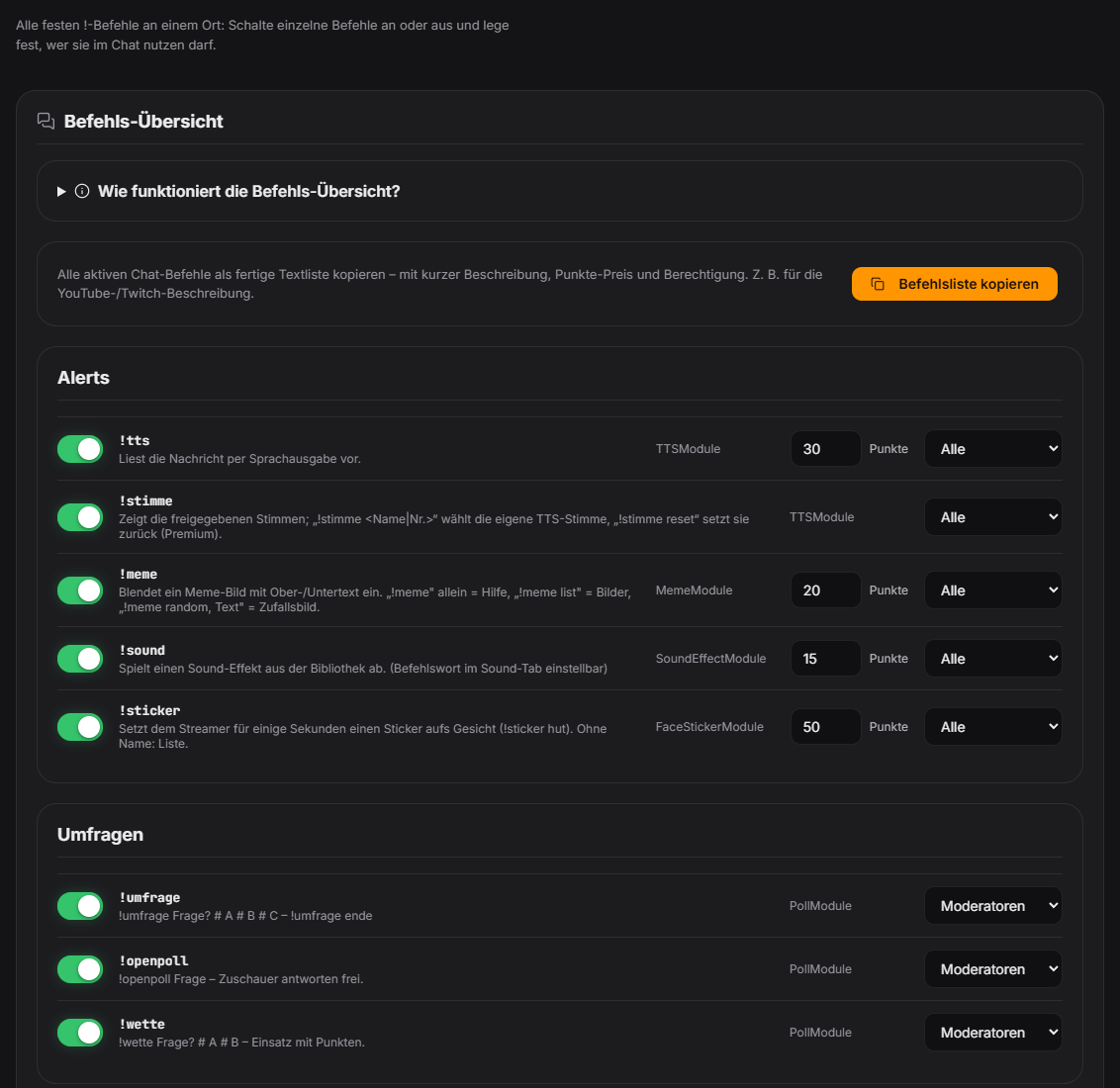
The “Commands” tab under Chat lists all fixed chat commands of your modules (e.g. !tts, !meme, !sound, !wheel, !so). For each command you switch it on or off, choose who may use it, and – for commands that cost viewers points – set the price right here. If the switch is off the command is ignored in chat – the module itself stays active. If a module is off or not loaded the row is greyed out. Roles come from the Twitch/YouTube badges. Changes apply immediately to new chat messages. “Copy command list” creates a ready-made text list of all active commands (with description, price and permission), e.g. for your stream description. New in 1.0.28: "Copy command list" creates a short viewer version of all usable commands (syntax + effect) – including the available sounds, memes, stickers and voices. Mod/streamer commands and commands that are currently unavailable are left out, and a command word changed in the Sound tab is used. Ideal for a chat panel or a bot command.
Trigger “Commands” tab under Chat in the Control Panel.
Requirements
- Free.
- The responsible module must be switched on for the command to work.
Step by step
- Open the “Commands” tab under Chat.
- Use the switch to turn individual commands on or off.
- Choose the permission: Everyone, Subscribers, VIPs, Moderators or Only me (Moderators includes you).
- For paid commands enter the point price (0 = free).
- Optionally click “Copy command list” and paste it into your stream description or chat panel.
If it doesn't work
- A command does not respond: check that the switch is on and the module is enabled (greyed-out row = module off).
- A viewer cannot use the command: the permission is set higher than their role (sub, VIP, mod) allows.
- The price cannot be changed: it lives in the module config – the module must be loaded.
Last updated: 15 November 2026