Stream Deck plugin
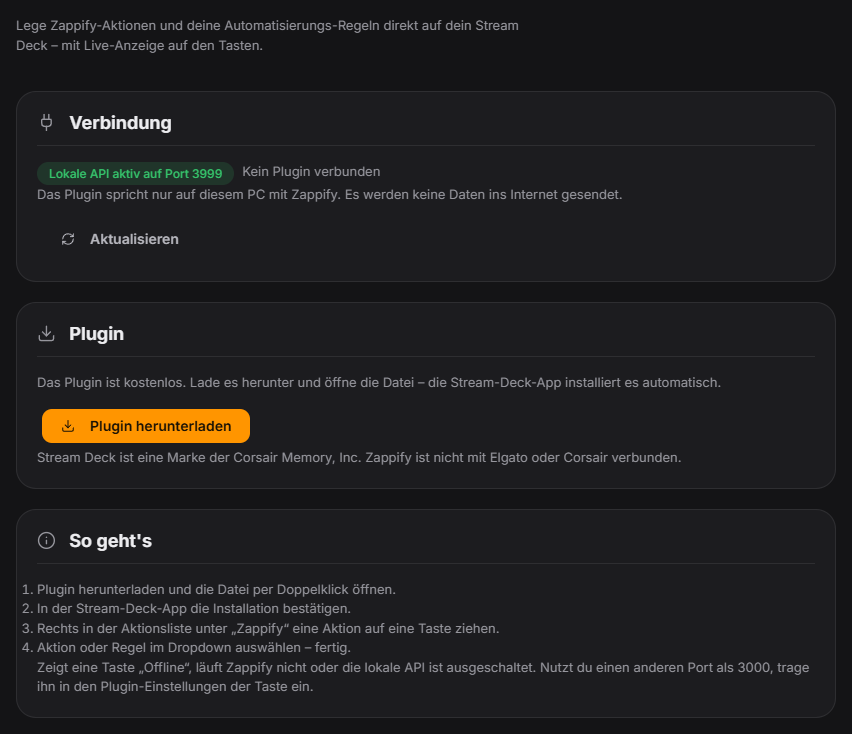
With the free plugin you control Zappify right from an Elgato Stream Deck, without typing addresses by hand. In the Stream Deck app the "Zappify" category offers two actions: "Trigger rule" runs one of your automation rules, "Zappify action" offers every button action of the phone remote – pause or skip the queue, stop audio, focus and covered mode, chat on/off, end poll, start quiz, spin the wheel and points wheel, counter ±1, timer and countdown, replay, top donator, like counter, end screen, draw giveaway, start hype train, music and mood, play a sound and switch OBS scene. Every key automatically gets a matching icon and lights up orange while something is active (for example queue paused, focus on, music playing, active OBS scene). Counter keys show the current count. The plugin only talks to Zappify locally on the same PC – no data is sent to the internet. Premium modules are locked or unlocked via Stream Deck exactly as in the app. Since 1.0.14 there are also keys for the Scare Meter ("Count scare") and for Stream Plays (switch controller, emergency stop). New since 1.0.15: start giveaway, start poll template, start/close number guessing, start/end bingo round, goal +1/−1, chaos +10/reset, start/stop EchoPenalty, end hype train, set clip marker, apply stream info preset, show social media, toggle bubbles, and show leaderboard and fanart. The plugin does not need an update for this. New since 1.0.16: start/cancel Draw & Guess, start/evaluate Chat Pointer, start/stop the No-Laugh Challenge and remove face stickers. New in 1.0.17: keys “Timer +seconds” / “Timer −seconds”, “OCR: select area” / “OCR: read last area” and “Notices read” (shows the number of unread regulars notices). New in 1.0.22: the emergency stop button shows its state live, and the new "Release emergency stop" button resumes everything. It works exactly like the emergency stop in Quick Control, via hotkey or from the phone. New in 1.0.23: keys “Replay last alert” (all or a specific type – replays only the alert, without points or credits) and “Mute all overlay sounds”. Since 1.0.24 (plugin 1.1.0.0): keys for premium functions without premium are greyed out with a crown, keys for disabled modules show “Off” – updated live. Pressing one only shows the notice. Modules in development are not offered. New in 1.0.28: New keys: cancel number guessing, reset infection game (with confirmation) and pause it, cancel giveaway, Screen Picker random/vote and cancel prediction.
Trigger Key press on the Stream Deck; setup in the "Stream Deck" tab in the control panel under Integrations.
Requirements
- Zappify version 1.0.13 or newer (free, no Premium needed).
- An Elgato Stream Deck with the Stream Deck app version 6.9 or newer on Windows.
- Zappify and the Stream Deck app run on the same PC.
Step by step
- In Zappify open Integrations → Stream Deck and click "Enable local API". Then restart Zappify once.
- Download the plugin (button in the tab or at the top of this page) and double-click the file. The Stream Deck app installs it.
- In the Stream Deck app open the "Zappify" category in the action list on the right and drag "Trigger rule" or "Zappify action" onto a key.
- Pick the rule or action from the dropdown in the key's settings. Some actions also ask for a counter, wheel, sound, mood, scene or number of seconds.
- Press the key. A check mark confirms it ran, a warning triangle means Zappify rejected the action.
If it doesn't work
- The key shows "Offline": Zappify is not running or the local API is switched off. Check the "Stream Deck" tab and restart Zappify after enabling it.
- The key shows "Update Zappify": your Zappify version is older than 1.0.13 – please update.
- The dropdowns are empty: there is no enabled rule yet, or no counter, wheel or sound. OBS scenes need OBS connected in Zappify.
- Warning triangle when pressing: the module is switched off, locked or it is part of Premium (trial ended) – Zappify shows a notice.
- Different port: if you changed the local API port in Zappify (default 3000), enter it in the key's settings under "Connection".
- "Spin wheel" only shows a warning triangle: up to 1.0.13 the wheel dropdown did not store the chosen wheel correctly. After updating to 1.0.14, click the key once in the Stream Deck app and pick the wheel again from the dropdown. No plugin update is needed.
- Note: Stream Deck is a trademark of Corsair Memory, Inc. Zappify is not affiliated with Elgato or Corsair.
Last updated: 15 November 2026