Anniversaries
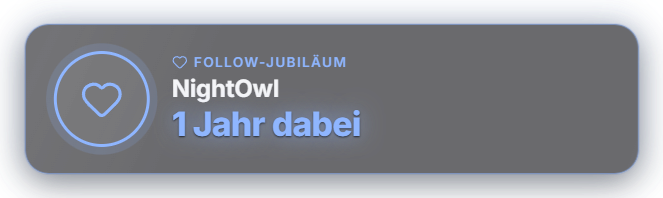
The anniversaries module honors loyal viewers in three categories: sub anniversary (sub or membership months), follow anniversary (how long someone has been following) and level milestone (level reached, independent of the level-up animation). For every threshold — for example 3/6/12/24 months, 1/2/3 years or level 25/50/100, freely extendable in months or years — you switch individually: overlay card (avatar, name, milestone), chat message with @mention, TTS announcement, a dedicated sound from the sound library and custom texts with the placeholders {{user}}, {{value}}, {{unit}}, {{months}}, {{years}} and {{level}}. It fires on a shared resub or membership milestone and on a viewer's first chat message of the stream. On Twitch the sub months come from the badge and the real follow date from the platform; on YouTube the membership milestone only counts when it is shared in chat, and the follow anniversary is calculated from "member since" in Zappify. Every milestone is announced only once per viewer. Old follow anniversaries (older than the configurable grace period, default 30 days) count as done so your first stream is not flooded — optionally you can catch up on missed ones. Appearance via color presets including the cross-module styles or your own AI design, freely positionable in the Positions tab. For automation there is the trigger "Anniversary / milestone reached" with {{anniversaryType}} and {{anniversaryValue}}. Since 1.0.15 the test button no longer writes into the real chat (the text appears in the log), and follow anniversaries are checked at every stream start. New in 1.0.28: Anniversaries are no longer lost on emergency stop, module off or app exit (they only count as done once shown), and the mascot can celebrate along (switch "Mascot reacts").
Trigger Automatically on a shared resub/membership milestone and on a viewer's first chat message of the stream; test button per milestone in the "Anniversaries" tab.
Step by step
- Switch the module on in the "Anniversaries" tab (Alerts).
- Choose categories and create or adjust thresholds.
- Define per milestone what happens: overlay card, chat message, TTS, sound — and adjust the texts.
- Check the popup with a milestone's test button.
- Place the card in the Positions tab and choose its appearance.
If it doesn't work
- No follow anniversary for long-time followers on the first stream: anniversaries older than the grace period (default 30 days) count as done. Enable "Catch up on missed" if you want to celebrate them anyway.
- YouTube members are not celebrated: YouTube only reports the milestone when the member shares it in chat.
- An anniversary does not show a second time: every milestone is deliberately announced only once per viewer.
Last updated: 15 November 2026