Guess the number
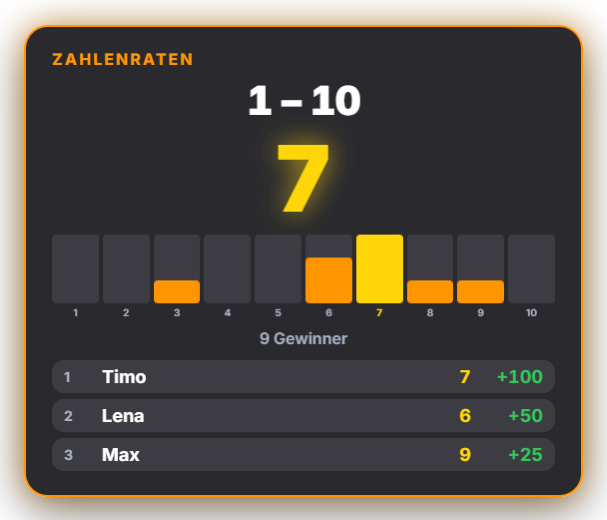
You pick a number within a freely chosen range (e.g. 1–10), and viewers type their guess as a plain number in chat — one guess per person, with the last one counting (can be disabled). Start the round via the tab or Quick Control (range plus an optional timer), close guesses, and reveal the target number. Points are awarded by closeness: a freely editable tier table lets you define how many points an exact hit, ±1, ±2 and so on are worth — measured either as a number distance or as a percentage of the range, so it stays fair even for large ranges like 1–1000. The overlay shows the range, timer, guess count and a live bar chart of guesses (the number itself stays hidden until the reveal); on reveal, the number pops up and the top 5 winners appear.
Trigger Round start, manually in the Guess the Number tab or Quick Control.
Requirements
- Premium – or the free 14-day Premium trial (see “Premium trial”).
Step by step
- In the Guess the Number tab, set a range (e.g. 1–100) and an optional timer, then start the round.
- Viewers type the plain number into chat (no dedicated command needed).
- Set up the point tiers (exact, ±1, ±2 …) once in the table — distance measured in numbers or percent.
- Close guesses, enter the target number and reveal it — the top 5 appear in the overlay.
- Set the appearance via color presets or a simplified AI design (without the bar distribution).
Last updated: 19 September 2026