
Zappify
Twitch & YouTube events as real-time animated OBS overlays — modular, no code.
What Zappify does
Zappify connects directly to Twitch and YouTube and turns every event – follows, subs, donations, raids, chat – into animated overlays for OBS. Everything runs from a clean control panel: enable a module, pick a look, done. Zappify adds the overlay source to your OBS scene with one click. No code, and the base modules stay free forever.
- Modular: chat, alerts, donation goals, prize wheel, giveaways, event bubbles, quiz, polls and plenty of games
- Colours, position and behaviour adjustable per module, live – no OBS restart
- Scene-based positioning and OBS filter control right in the panel
- Runs locally on your Windows PC – your credentials stay with you
- Premium unlocks every additional module; the subscription is monthly and cancellable
What Zappify looks like
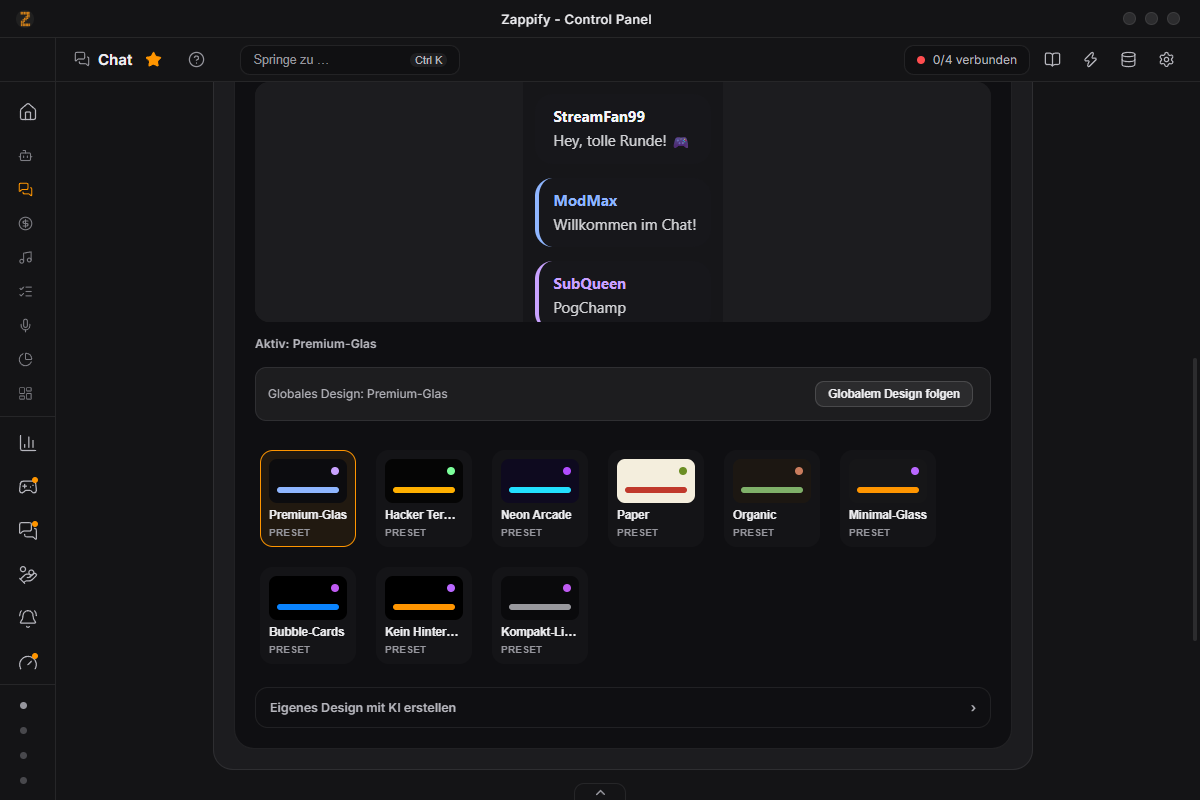
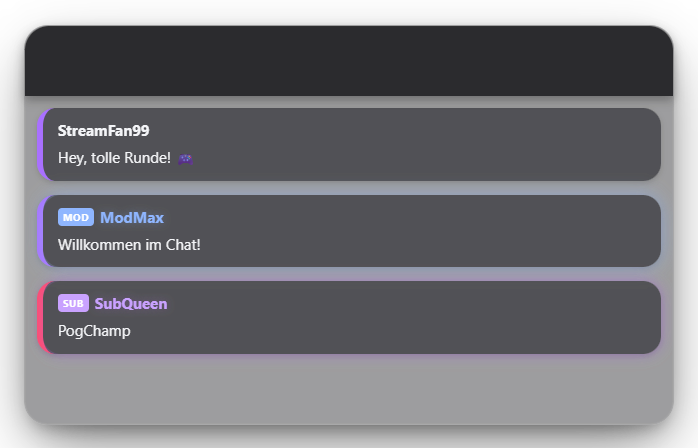
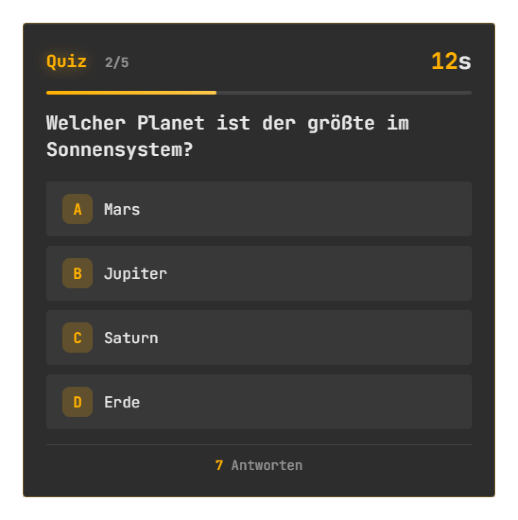
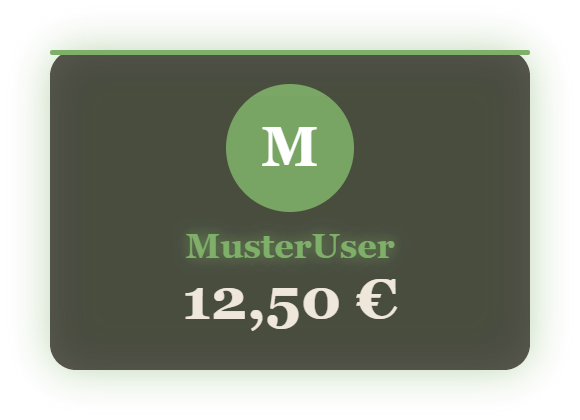
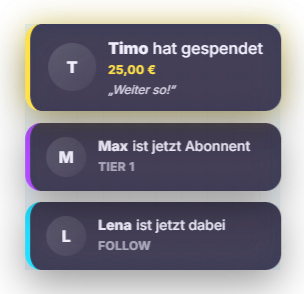
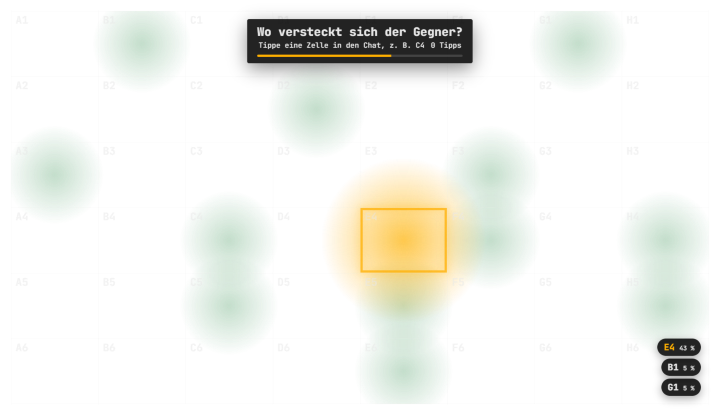
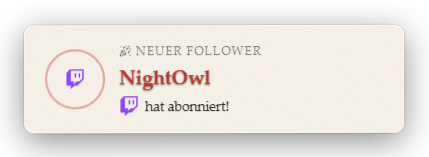
Every overlay ships with ready-made designs – or let AI build your own. The examples show different designs with sample data.
Free or Premium?
27 modules are free forever, Premium unlocks 28 more.
| Feature | Free | Premium |
|---|---|---|
| Modules | 27 modules | All 55 modules |
| Zappify watermark on stream | Zappify logo every 7 min for 6 s | No watermark |
| Custom design via AI | For 9 modules (chat, alerts …) | For every module |
| Direct Twitch + YouTube connection | ✓ | ✓ |
| Automation (if … then …) | ✓ | ✓ |
| Stream Deck plugin | ✓ | ✓ |
| Phone remote control | – | ✓ |
| Premium extras in free modulesGiveaway: advanced modes · Giveaway: entry cost in points · Giveaway: entry requirements · Multiple to-do lists · Multiple counters at once · Counters with custom image · Glass blur behind overlays · TTS: viewers pick their voice · Chat overlay: viewer filter | – | ✓ |
Show all 55 modules with Free/Premium
Games & Interaction
- PollsPremium
- QuizPremium
- Guess the NumberPremium
- BingoPremium
- Random WheelFree
- GiveawayFree
- Random GamePremium
- Points WheelPremium
- BubblesPremium
- Infection GamePremium
- Screen PickerPremium
- EchoPenaltyPremium
- No-Laugh ChallengePremium
- Chat PointerPremium
- Draw & GuessPremium
- Scare MeterPremium
- Face StickersPremium
Chat & Bot
- ChatFree
- LeaderboardFree
- Fan ArtFree
- Regulars RadarFree
- Chat BotFree
- Clip ReviewPremium
Donations
- Donation PotFree
- Donation AlertFree
- Top DonorsPremium
Alerts
- Follow AlertFree
- Raid AlertFree
- MemeFree
- Sound EffectsFree
- TTSFree
- CommentatorFree
- User ImageFree
- Social MediaFree
- Level-UpFree
- AnniversariesPremium
- Event BubblesFree
Displays & Counters
- TimerFree
- CounterFree
- Goal BarFree
- To-do ListFree
- Hype TrainPremium
- Like CounterPremium
- Chaos CounterPremium
- Chat TrendsFree
Design & Layout
- MascotFree
Tools
- Stream InfoPremium
- Mood MusicFree
- Stream PlaysPremium
- OCRPremium
- ReplayPremium
- End ScreenPremium
More
- Badge unlockedFree
- Points award overlayPremium
- Zappi AI (@zappi)Premium
Download Zappify for free
The app and all base modules are free forever – including AI design for chat and alerts. The free version shows a small Zappify logo in the overlay for 6 seconds every 7 minutes; Premium removes it. You can try Premium in the app for 14 days for free – no credit card. After that, simply subscribe below.
Version 1.0.28 · Windows installer (.exe)
Windows 10/11
Sign in to downloadWindows may show a SmartScreen warning (not yet signed) — "More info → Run anyway".
Enjoying Zappify? Refer friends and earn free months of Premium. Refer a friend →
Premium
All premium modules unlocked while the subscription is active.
- Access to all premium modules
- No Zappify overlay on your stream (Free shows the logo for 6 s every 7 min)
- AI design for every module (chat & alerts already free in Free)
- New overlay modules on a rolling basis
- Base modules stay free forever
All modules at a glance
56 modules — 28 free, 28 with Premium. Each tile links to its wiki article with setup steps.
Stream info (title, category & tags)
Enter title, category/game and tags once and push them to Twitch, YouTube, or both with one click.
Open wiki article →FreeConnect Ko-fi (donations & memberships)
Hook up Ko-fi as a donation/membership provider, including !username attribution.
Open wiki article →FreeChat overlay
Live chat from Twitch and YouTube as an animated overlay.
Open wiki article →FreeFollow alerts
Animated alert for new followers.
Open wiki article →FreeRaid alert
A big overlay card for incoming Twitch raids – with the raider's profile picture, name, viewer count and last game.
Open wiki article →FreeDonation alerts
Alerts for incoming donations, bits, SuperChats and subs — with three display modes.
Open wiki article →FreeLevel-up notifications
Viewers earn experience through chat activity and level up.
Open wiki article →FreeText-to-speech (Polly, Azure, ElevenLabs, Piper)
The !tts command reads chat messages aloud. Pick one of four providers: Amazon Polly, Azure Speech, ElevenLabs, or the local, free Piper.
Open wiki article →FreeMeme overlays
The !meme command shows an image with a top and bottom caption.
Open wiki article →FreeSound effects
The !sound command plays an effect from the central sound library.
Open wiki article →FreeSocial media overlays
Rotating popups for your social media channels.
Open wiki article →PremiumTop donator overlay
Shows the biggest supporters of the session and of all time with a scramble effect.
Open wiki article →FreeCommentator mode
Selected viewers become „commentators" — every chat message they send is read aloud via TTS automatically.
Open wiki article →FreeDonation goal (now goal bar)
Since 1.0.15 the donation goal is part of the goal bar.
Open wiki article →PremiumChaos Counter
A rising "chaos level" number that reacts to almost every event in the stream.
Open wiki article →FreeDonation pot
A vessel that visually fills up with a manually kept running total.
Open wiki article →FreeMascot (Zappi)
A permanently visible mascot in the overlay — as the CRT TV „Zappi" or designed entirely by AI.
Open wiki article →FreeGoal bar
Up to 8 goals as stacked progress bars: followers, subs, donations, bits, stream duration or custom counters.
Open wiki article →PremiumZappi AI (@zappi)
Viewers talk to your mascot in chat – it answers using AI and reads the answer aloud.
Open wiki article →FreeCounter
As many named counters in the overlay as you like — e.g. deaths or wins — each with its own chat command.
Open wiki article →FreeTimer / countdown
A freely configurable timer or countdown in the overlay — for ad breaks, subathons or time limits.
Open wiki article →FreeEvent bubbles
The most recent stream events as a small animated card stack — follows, subs, gift subs, donations and raids.
Open wiki article →PremiumHype Train
A timed, cross-platform community goal: subs, bits, donations and follows from Twitch, YouTube, Ko-fi and StreamElements push the levels up together.
Open wiki article →PremiumAnniversaries
Celebrates your viewers' milestones: sub months, follow anniversaries and reached levels — with overlay card, chat message, TTS and sound.
Open wiki article →PremiumScare Meter
For horror streams: detects jump scares through your microphone, counts them up in the overlay and cuts the matching replay on request.
Open wiki article →PremiumFace Stickers
Viewers put a hat, glasses, a clown nose or a custom image on your face for a few seconds with !sticker – the sticker follows you in the facecam.
Open wiki article →FreeChatbot: timed & rotating messages
Recurring chat messages — a per-message minute interval, or a rotating queue with a fixed pause.
Open wiki article →PremiumLike counter
Counter for the likes of the running YouTube stream.
Open wiki article →PremiumScreen text recognition (OCR)
Reads text from a screen area and triggers events from it.
Open wiki article →FreeUser image (viewer submissions)
Shows images submitted by viewers in the stream, including an avatar tile with their Wolpertinger/profile picture and badges.
Open wiki article →FreeLeaderboard
Ranking of your most active viewers – by today's chat messages, points or level, next to the chat or in place of it.
Open wiki article →FreeFanart
Shows your community's fanart on stream – just drag images into the tab or take them over from Discord approvals.
Open wiki article →FreeRegulars radar
A private notice when a regular comes back, someone chats for the first time or reaches a milestone.
Open wiki article →FreePrize wheel (raffles)
General-purpose wheel of fortune for giveaways and random decisions.
Open wiki article →FreeChat trends
Shows live which word or emote many people are typing in chat right now – in Quick Control and, if you like, briefly on the overlay.
Open wiki article →PremiumPolls, open questions & bets
Interactive chat polls with live results in the overlay — including bets with points.
Open wiki article →PremiumChat quiz
Interactive quiz with automatic scoring and points.
Open wiki article →PremiumPoints wheel
The !wheel command spins a wheel tied to viewer points.
Open wiki article →PremiumPoints award overlay
Mascot animation with profile picture and count-up when you award points manually in chat.
Open wiki article →PremiumBubbles
Chat messages pop up as small cards flying across the overlay.
Open wiki article →PremiumInfection mini-game
Chat mini-game where viewers "infect" each other.
Open wiki article →PremiumScreen Picker (tile selection)
Place numbered tiles freely on a dedicated overlay window and pick one at random or by chat vote.
Open wiki article →PremiumEchoPenalty (subtitles & banned words)
Live subtitles or an HP game based on local speech recognition — your microphone is transcribed directly on your machine.
Open wiki article →PremiumDraw & Guess
You draw a secret word live – on your phone, tablet or with the mouse – and chat guesses. The first three correct guessers earn points.
Open wiki article →PremiumChat Pointer
A grid appears over your game, chat types a cell like C4 – a live heatmap shows where chat is pointing.
Open wiki article →PremiumNo-Laugh Challenge
“Try not to laugh” round: chat fires memes, TTS and sounds, Zappify detects your smile in the facecam – at 0 HP you get a penalty.
Open wiki article →PremiumBingo
Discord-linked chat bingo: viewers grab a card via slash command, you confirm squares live on stream.
Open wiki article →FreeMusic player & overlay
Built-in player with folder-based moods, a "now playing" overlay and a visualizer.
Open wiki article →PremiumGuess the number
You pick a number in a range, viewers type their guess in chat — points based on how close they land.
Open wiki article →PremiumClips & DaVinci Resolve
The !clip command drops a marker in the running OBS recording. A rating system and the Resolve bridge turn those into edit-ready timelines.
Open wiki article →FreeGiveaway
Viewers join with !join, the wheel draws the winners and splits the points pot.
Open wiki article →PremiumRandom Game
A wheel decides which game runs next and starts it right away.
Open wiki article →PremiumInstant replay
Plays the last few seconds back on stream immediately.
Open wiki article →PremiumStream Plays (Twitch Plays)
Chat controls a game together: viewers vote for controller buttons in chat, Zappify presses the key.
Open wiki article →PremiumEnd screen
A session summary with key figures and a timeline – shown manually or automatically as soon as the stream ends.
Open wiki article →FreeTo-do list
A task list in the overlay – viewers see what is on today, and you tick items off live.
Open wiki article →